WasserProWasserPompe

WasserPompe

Check a booster pumping station before it is built. WasserPompe simulates the suction tank, the booster pump and the high-level reservoir hour by hour, then checks what happens when the power fails and the pump trips.

Windows 10 and 11 · licence for one computer · RM 2,500 per year
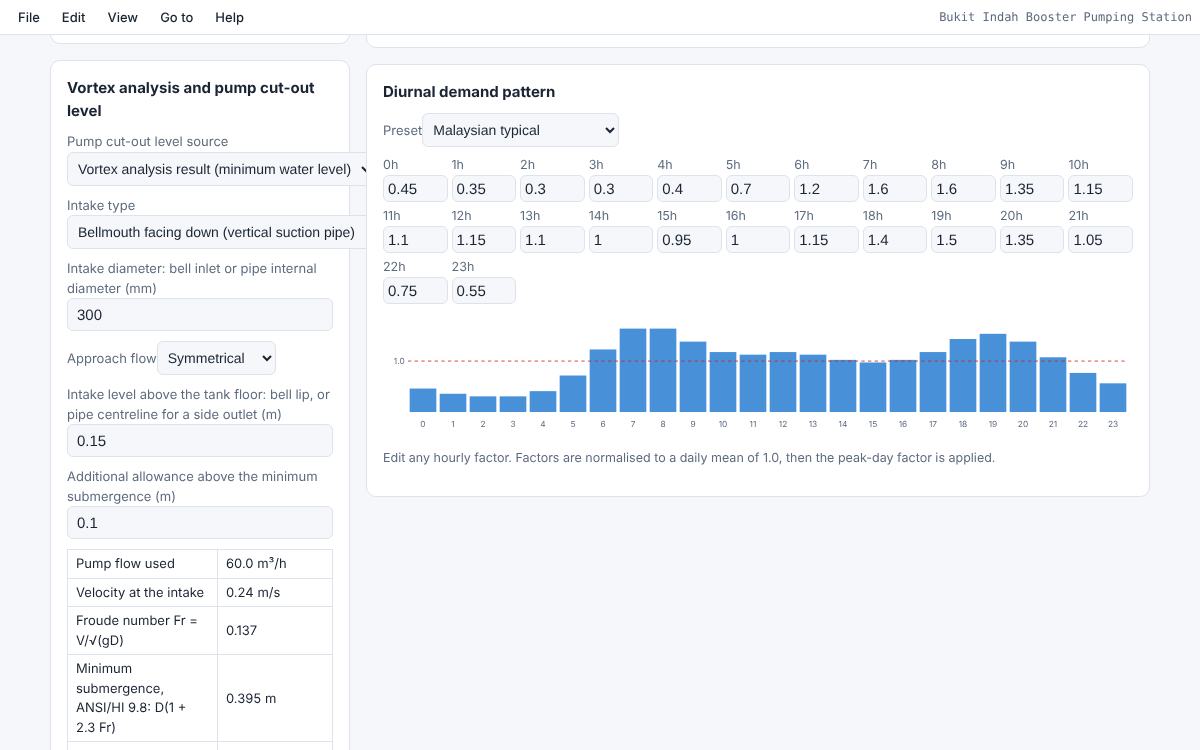
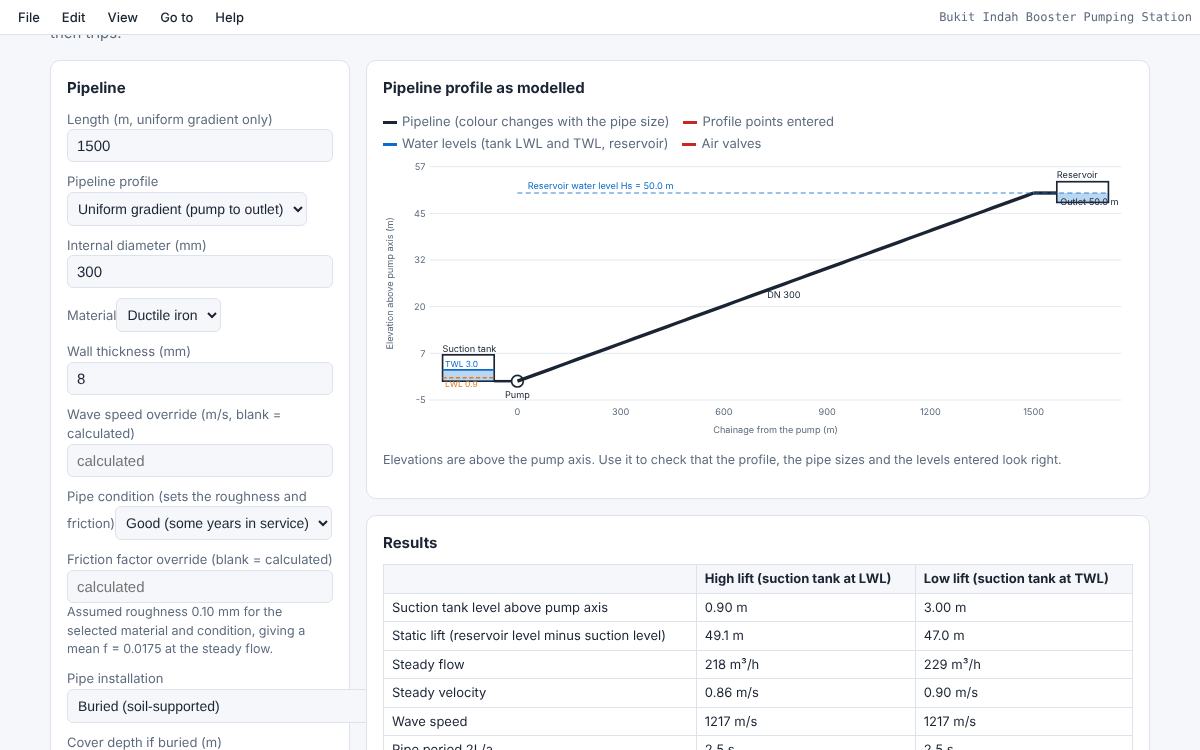
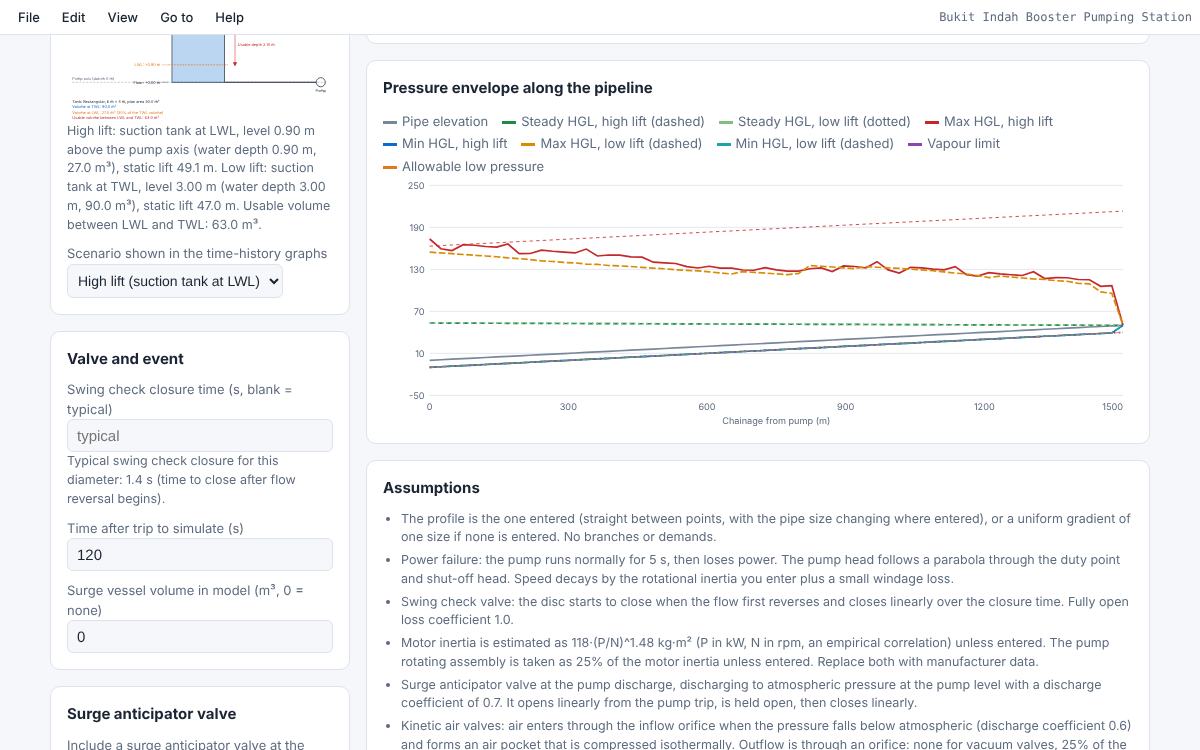
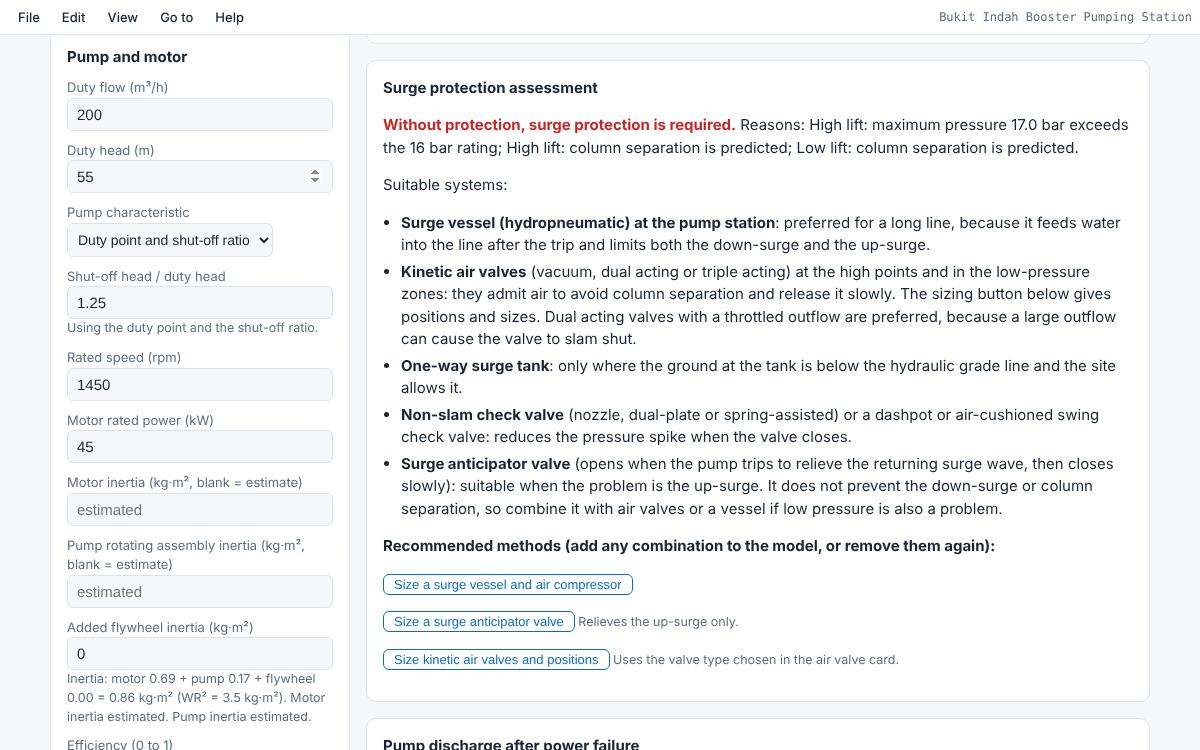
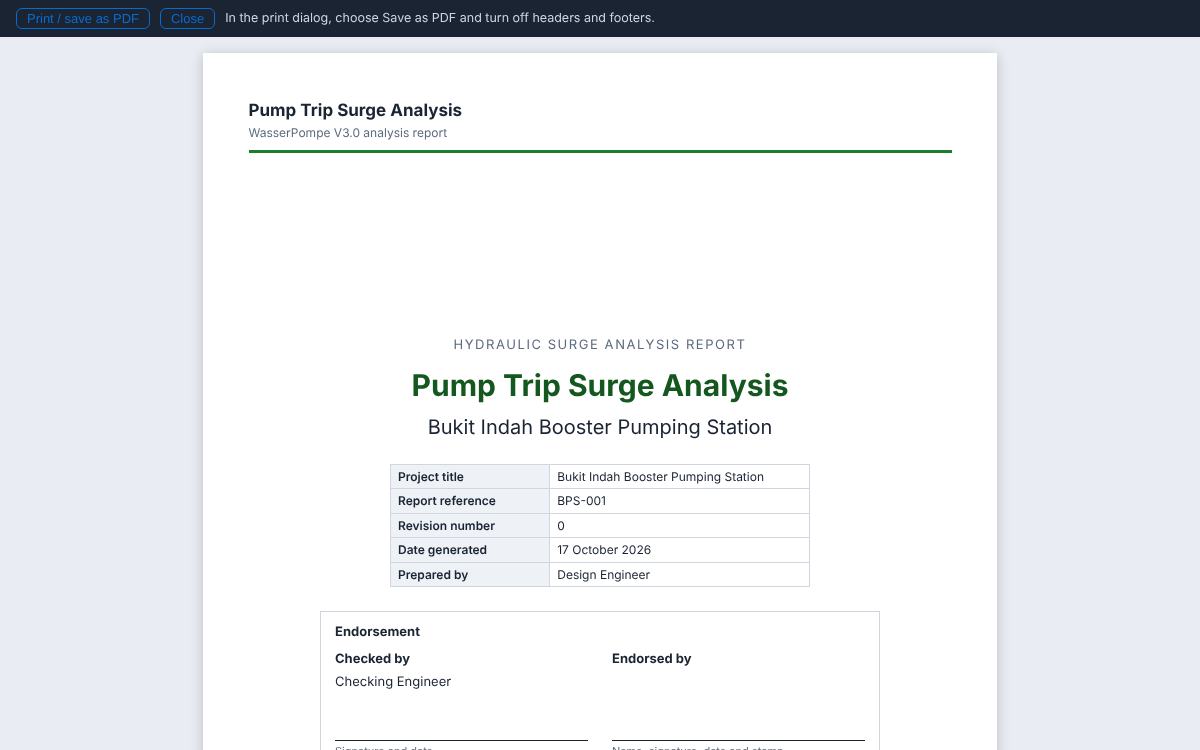
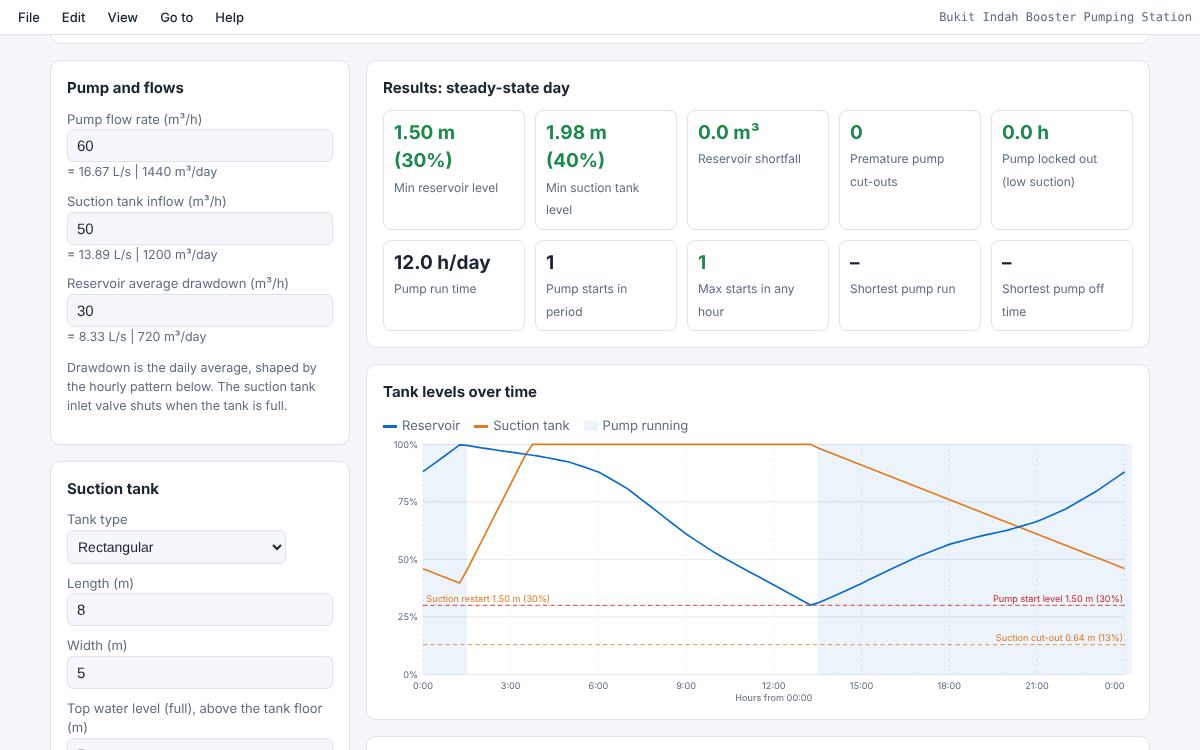
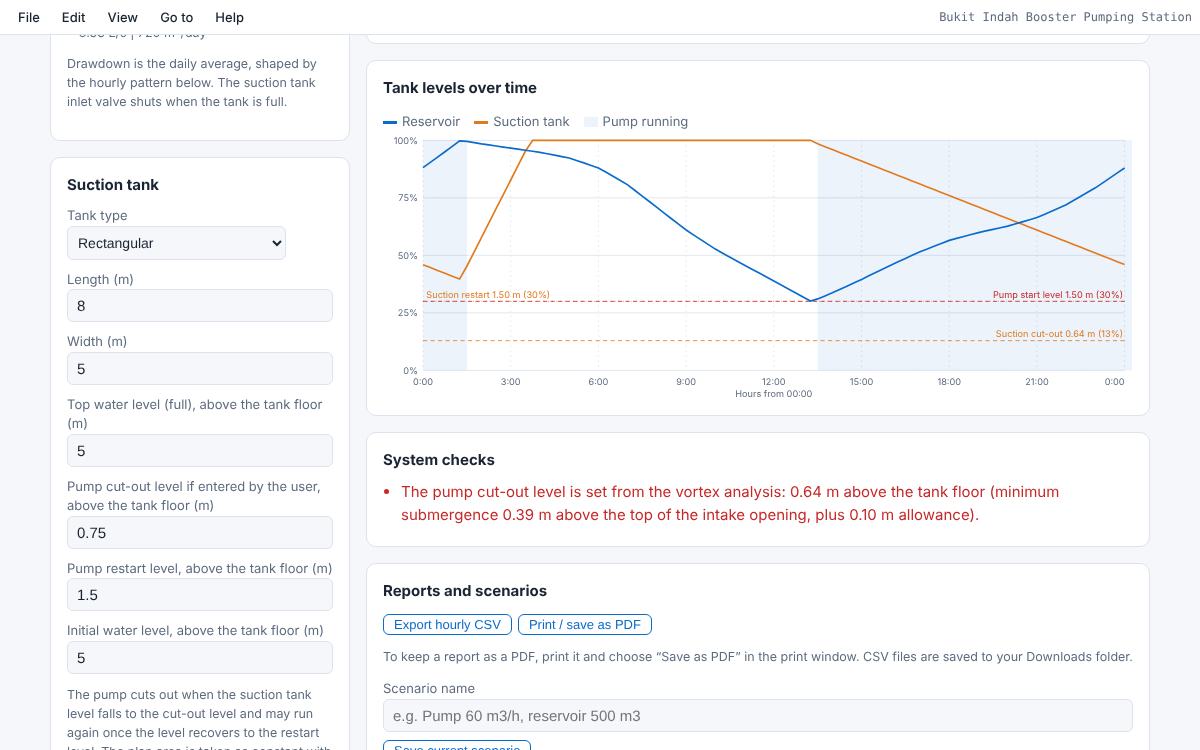
WasserPompe tank simulation results and inputsWasserPompe suction tank and reservoir levels over time with system checksWasserPompe vortex analysis and pump cut-out levelWasserPompe pipeline profile as modelledWasserPompe pressure envelope along the pipeline after a pump tripWasserPompe surge protection assessmentWasserPompe report cover page
Tank simulationSuction tank, pump and reservoir hour by hour, with pump starts and key results.

What WasserPompe does

Two tools in one program, with design reports you can hand to a client.

Tank simulationSuction tank, booster pump and storage reservoir over 72 hours with a daily demand pattern you can edit. Shows pump starts and stops, running hours and cycling, and warns if the pump cuts out early.
Suction tank outletVortex and minimum submergence check, and the pump cut-out level it gives. A suction inflow estimator works out what the supply pipe can deliver.
Pump-trip surge analysisPower failure on a single rising main using the method of characteristics, with swing check valve closure, pressure envelopes for high and low lift, and the force on the valve disc.
Surge protection adviceWhether protection is needed and which kind. Sizes a surge vessel and its air compressor, a surge anticipator valve, and air valve positions.
Reports and scenariosClear PDF reports with commentary, graphs and references. Save scenarios and compare them, export the hourly results to CSV, and save projects to open later.
Works offlineRuns on your own computer. No account and no internet needed after activation.
How to buy

Your licence key arrives by email within a minute of payment.

Install WasserPompeDownload the installer and run it. Installing is free, and WasserPompe asks for a licence key when it starts.
Buy a licencePay by card on the secure checkout. The Computer ID is optional. There is no free trial.
Get your keyThe licence key is shown on screen and emailed to you, with a licence file attached.
ActivatePaste the key or open the licence file in WasserPompe. Or choose Activate online and enter your licence number and email.

Price

One licence covers one computer. It renews automatically every year, so your licence never lapses, and you can cancel renewal at any time. You can move the licence to a new computer yourself. Your subscription includes all updates and new versions while it is active.

Yearly

WasserPompe annual subscription

RM 2,500 per year
Renews automatically every year.
  • New key emailed automatically every year
  • Cancel renewal any time
  • Pay by card
Subscribe yearly

Buy or renew WasserPompe

You will pay on Stripe's secure checkout page. The licence key is emailed to you and shown on screen straight after payment. WasserPompe has no free trial, and a WasserPro licence does not open WasserPompe.

Optional. Leave empty to activate online in WasserPompe later.

Questions


Where do I find my Computer ID?

Install WasserPompe and start it. The activation window shows the Computer ID, for example 7K3Q-9DMT-2XWA, with a Copy button. After activation it is under Help > Licence and Computer ID.

How fast do I get the key?

Straight after payment it is shown on screen and emailed to you, normally within a minute. Check your spam folder if it has not arrived.

Is there a free trial?

No. WasserPompe is sold as a yearly subscription and has no free trial.

Do I pay again for new versions?

No. Your subscription includes all updates and new versions while it is active.

Can I use one licence on two computers?

No. Each key works on one computer. Buy one licence for each computer, or move the licence when you replace a computer.

What happens when my licence period ends?

The subscription renews automatically every year. When the renewal payment goes through, a new key is emailed to you. WasserPompe installs it by itself when the computer is online, or you can enter it under Help > Licence and Computer ID. The last 30 days show a reminder in the program. Your project files are never affected.

Can I stop the automatic renewal?

Yes. Under My licence > Manage subscription you can cancel renewal at any time. Your licence keeps working until the end of the period you paid for.

How do I move WasserPompe to a new computer?

Go to My licence > Move to a new computer, or choose Activate online in WasserPompe on the new computer and enter your licence number and email.

Does a WasserPro licence work in WasserPompe?

No. WasserPro and WasserPompe are separate products with separate licence keys.

Does WasserPompe need the internet?

No. WasserPompe works offline. The internet is used only for online activation and to receive renewed keys.

Can I get an invoice?

Yes. A receipt is emailed after every payment, and you can download invoices under My licence > Manage subscription.