WasserPro

Size a complete water treatment plant in minutes

WasserPro sizes every process unit of a potable water treatment plant, from the raw water inlet to the clear water tank, checks it against design criteria, predicts the treated water quality and writes the design report for you.

Windows 10 and 11 · licence for one computer · from RM 4,500 per year
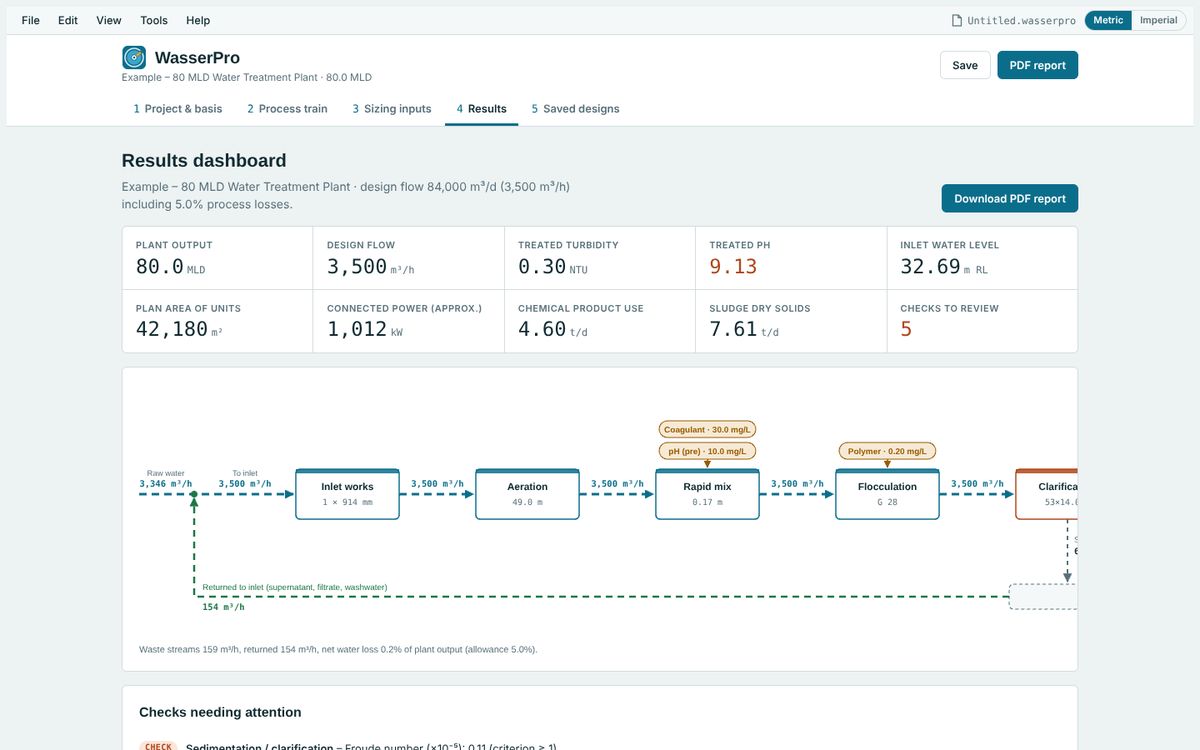
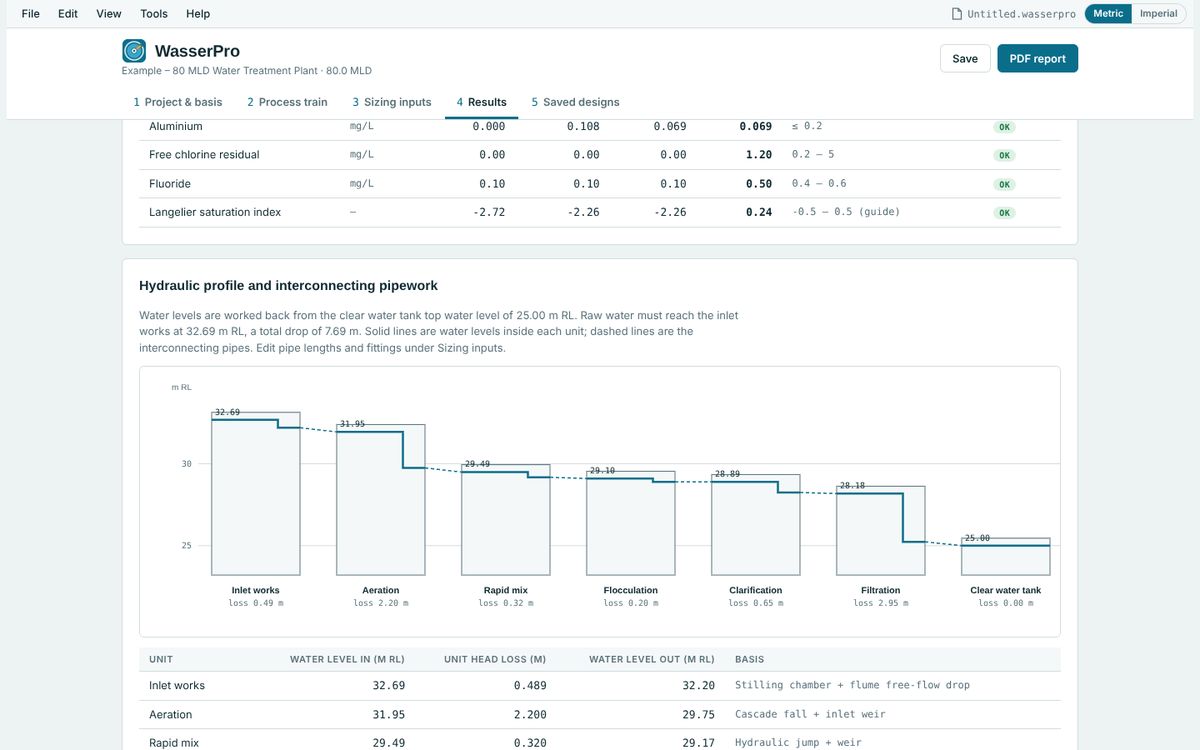
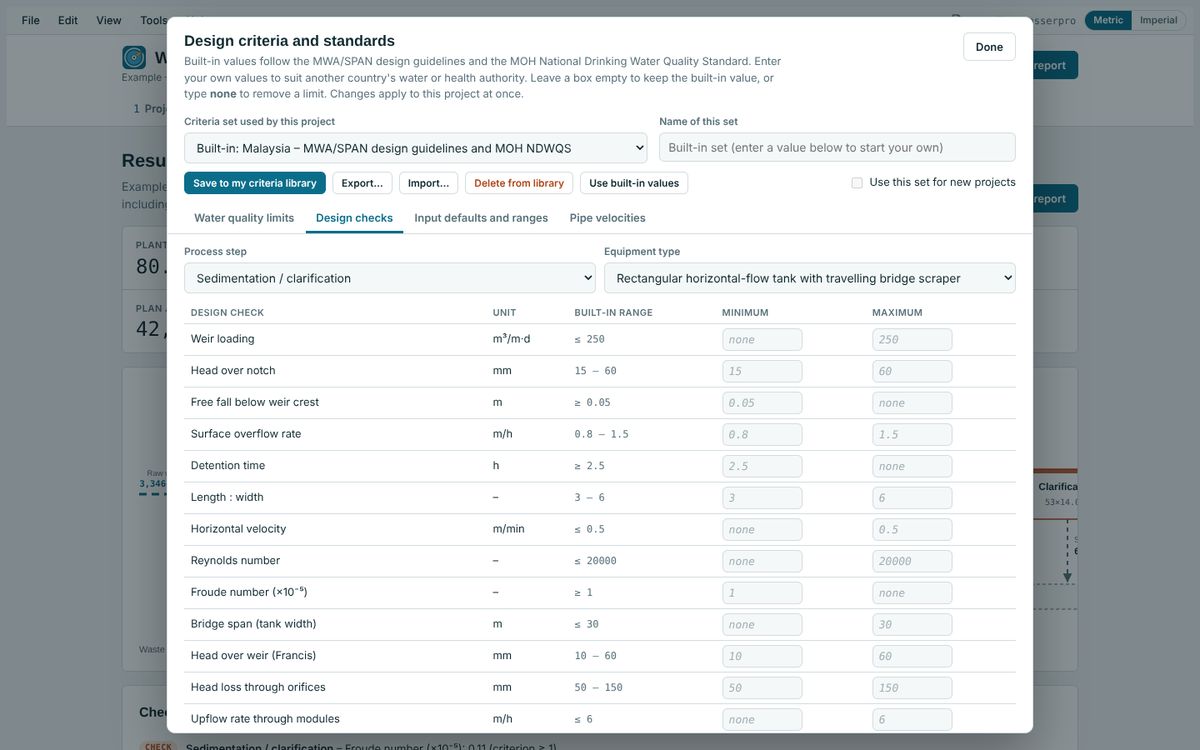
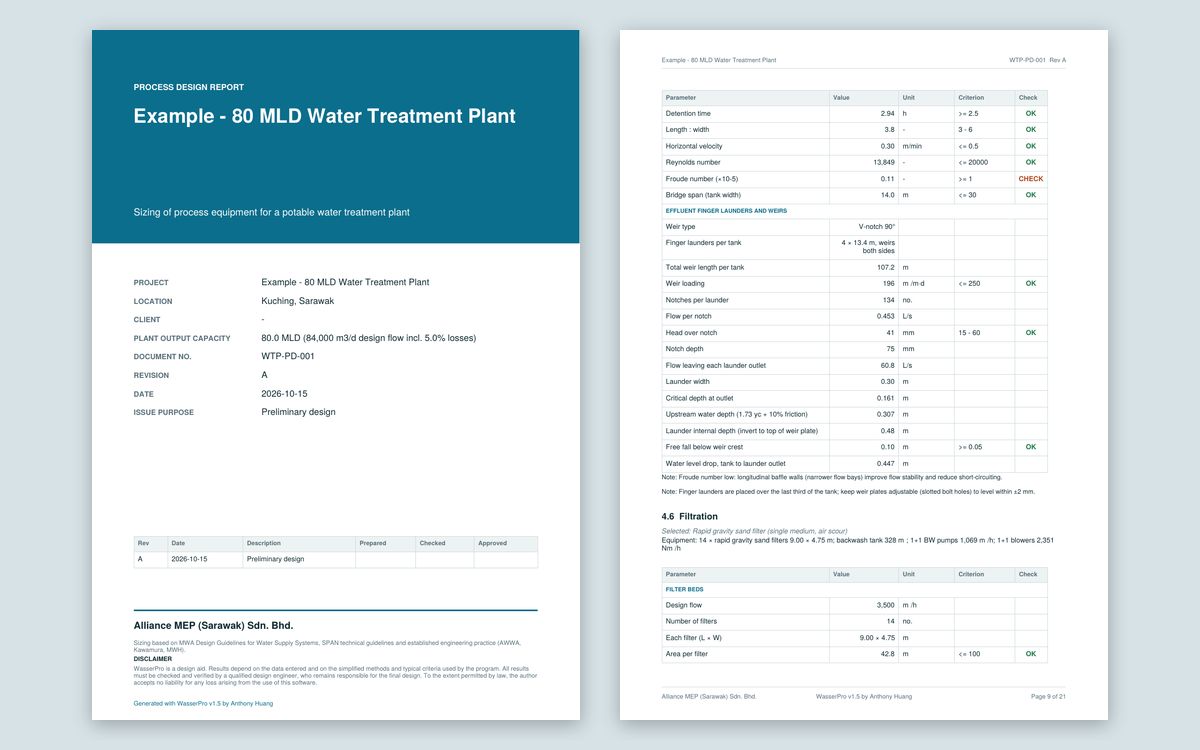
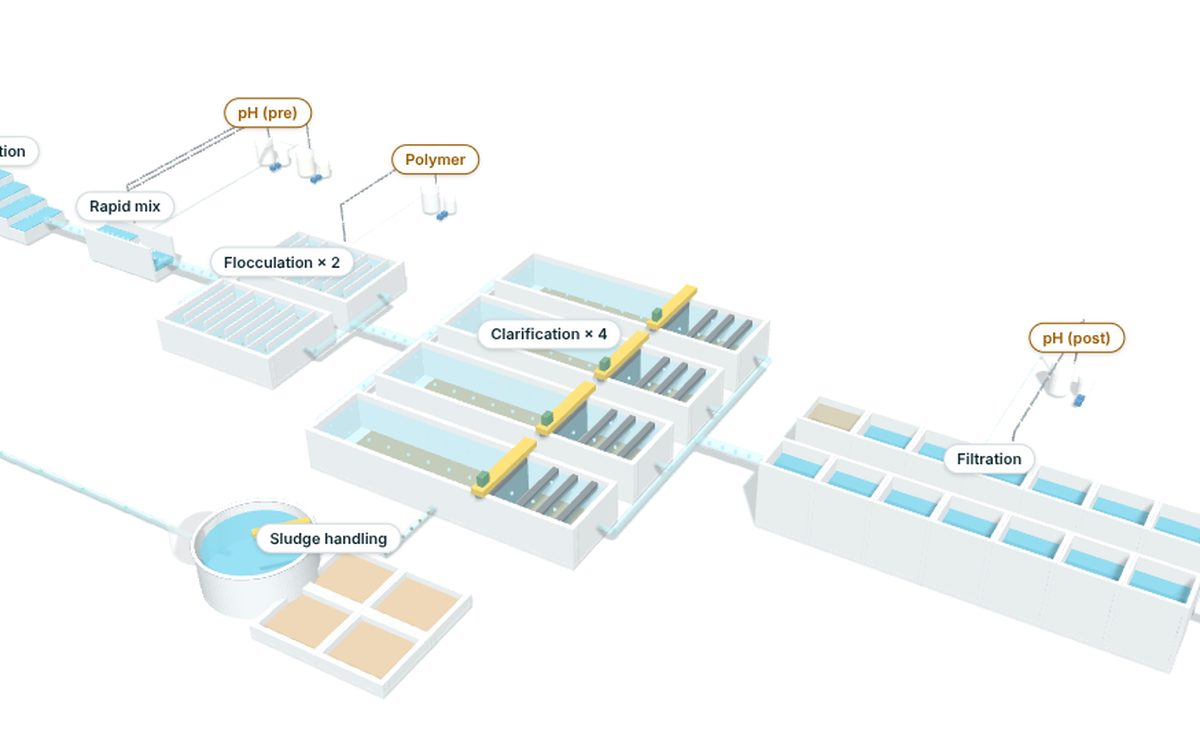
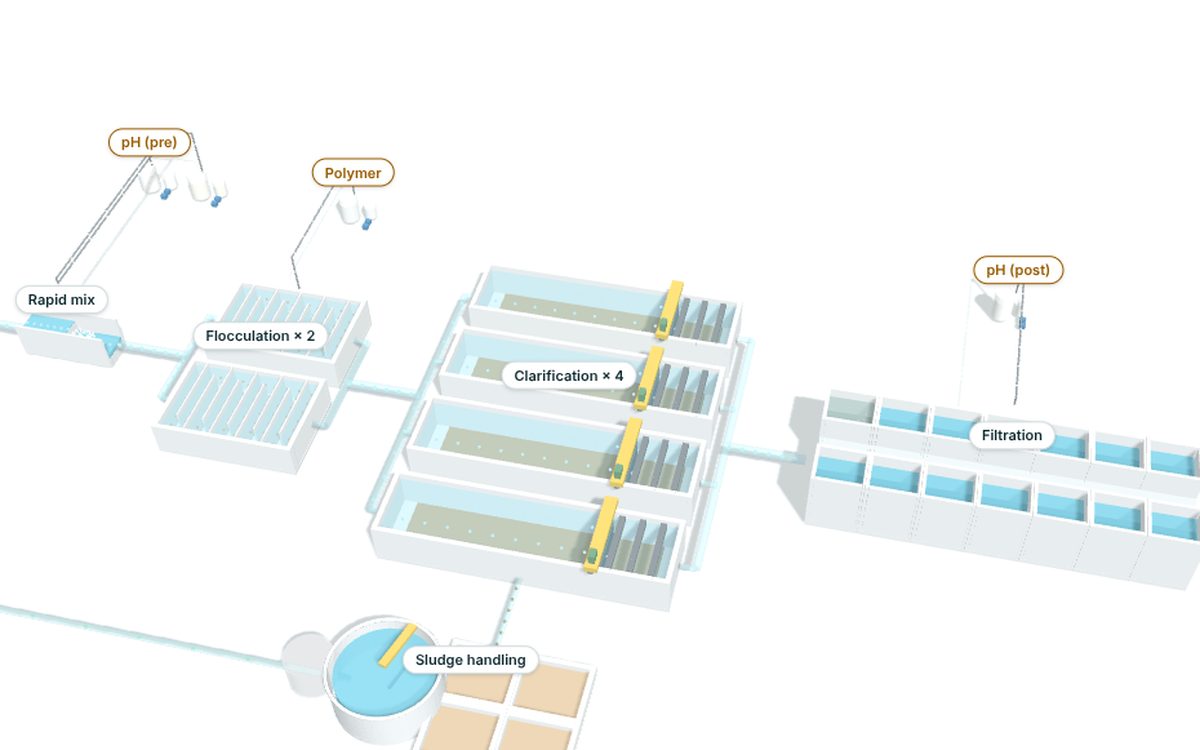
WasserPro 3D model of a complete water treatment plantWasserPro 3D close-up of clarifiers, filters and sludge handlingWasserPro results dashboardWasserPro hydraulic profile and pipework tablesWasserPro design criteria and standards editorWasserPro PDF design report cover and sizing page
3D process trainEvery unit you select, drawn with the number of tanks you size.

What WasserPro does

Built by a practising water engineer around the MWA/SPAN design guidelines and the MOH drinking water standard, with your own criteria for any other country.

19 process steps, 65 equipment optionsInlet works, aeration, flocculation, clarifiers with lamella packs, filters, membranes, clear water tanks, pumps, sludge handling and nine chemical systems.
Checks and recommendationsEvery unit is checked against design criteria, with ranked advice on what to change.
Treated water qualityClarified, filtered and treated water quality for average and flood conditions, against the limits you choose.
Hydraulic profileInterconnecting pipework, head losses and water levels through the plant.
3D process trainAn animated 3D model of the plant you selected, updated as you change it.
PDF design reportA complete report with cover page, in metric or imperial units, ready to issue.
How to buy

Your licence key arrives by email within a minute of payment.

Install WasserProRun the WasserPro installer. Installing is free.
Copy your Computer IDWasserPro opens with an activation screen showing your Computer ID. Click Copy.
Buy a licenceChoose a plan below, paste your Computer ID and pay by card.
ActivatePaste the key from the email (or the page after payment) and click Activate.

Pricing

One licence covers one computer. Both plans renew automatically, so your licence never lapses, and you can cancel renewal at any time. You can move the licence to a new computer yourself.

Pay yearly

Annual subscription

RM 4,500 per year
Renews automatically every year.
  • New key emailed automatically every year
  • Cancel renewal any time
  • Pay by card
Subscribe yearly
Best value

3-year plan

RM 12,000 for 3 years
Renews every 3 years. Saves RM 1,500 compared with three annual payments.
  • One key covering three years
  • Renews automatically every 3 years; cancel any time
  • Pay by card
Choose 3 years

Buy or renew a licence

You will pay on Stripe's secure checkout page. The licence key is emailed to you and shown on screen straight after payment.

Shown on WasserPro's activation screen (Help > Licence once activated)

Already have a licence?

Look after your licence yourself, any time.

Questions


Where do I find my Computer ID?

Install WasserPro and start it. The activation screen shows the Computer ID, for example 7K3Q-9DMT-2XWA, with a Copy button. After activation it is under Help > Licence.

How fast do I get the key?

Straight after payment it is shown on screen and emailed to you, normally within a minute. Check your spam folder if it has not arrived.

Can I use one licence on two computers?

No. Each key works on one computer. Buy one licence for each computer, or move the licence when you replace a computer.

What happens when my licence period ends?

Both plans renew automatically. When the renewal payment goes through, a new key for the next period is emailed to you; enter it with Help > Licence > Enter a new key. WasserPro also reminds you 30 days before the current key expires. Your project files are never affected.

Can I stop the automatic renewal?

Yes. Under My licence > Manage subscription you can cancel renewal at any time. Your licence keeps working until the end of the period you paid for.

Can I switch between the annual and 3-year plans?

Cancel the current subscription under Manage subscription, then, near the end of your licence period, buy the other plan using "I am renewing an existing licence" and your licence number. The new period starts the day after the current one ends.

Does WasserPro need the internet?

No. Activation is done with the key, so WasserPro works offline. The 3D view and PDF report download their libraries the first time they are used.

Can I get an invoice?

Yes. A receipt is emailed after every payment, and you can download invoices under My licence > Manage subscription.